
A strong nonprofit website design is more than just a digital presence—it’s a critical tool for engaging supporters, increasing donations, and amplifying your mission.
From optimizing donation pages to ensuring accessibility, every aspect of nonprofit website design plays a crucial role in achieving your goals. Our team specializes in nonprofit web development that tells your story effectively and drives results. This guide covers best practices for nonprofit websites, including UX, accessibility, platform selection, and content strategy. Whether you’re launching a new site or improving an existing one, these insights will help you create a website that drives engagement and supports your mission.
1. Why Nonprofit Website Design Matters for Engagement and Donations
Your website serves as the digital home for your organization. It’s where potential donors, volunteers, and beneficiaries learn about your mission, engage with your content, and take action. A well-designed nonprofit website should align with both your organizational objectives and the needs of your audience.
Key Objectives of a Nonprofit Website
-
- Fundraising: Make donating simple, secure, and seamless.
- Volunteer Recruitment: Provide clear opportunities for supporters to get involved.
- Advocacy & Awareness: Share impactful stories, resources, and updates.
- Storytelling: Use compelling narratives and visuals to create emotional connections.
By designing your site with these goals in mind, you can build a platform that strengthens engagement and supports your nonprofit’s mission.
2. Essential Nonprofit Website Design Features That Drive Results
A successful nonprofit website balances aesthetics with functionality. Here are the must-have elements that ensure your site is both engaging and effective.
1. Clear and Impactful Mission Statement
Your mission should be front and center, immediately communicating your purpose. Use concise, compelling language and pair it with engaging visuals.
2. Intuitive Navigation and User-Centered Design
A confusing website can drive visitors away. Keep your navigation simple, with clear menu structures and easy-to-find information.
3. Strong Calls to Action (CTAs)
When crafting your nonprofit website design, don’t overlook the value of intuitive navigation and clear CTAs. Encourage visitors to take action with clear CTAs, such as:
-
- Donate Now
- Join Our Volunteer Team
- Sign Up for Updates
- Attend an Event
4. Mobile Optimization and Fast Loading Speeds
With over 50% of web traffic coming from mobile devices, your website must be fully responsive. Additionally, fast loading speeds improve both user experience and SEO rankings.
5. Accessibility Compliance (WCAG Standards)
Ensure your website meets Web Content Accessibility Guidelines (WCAG) to make it inclusive for all users, including those with disabilities. Key considerations include:
-
- Proper color contrast for readability.
- Alt text for images.
- Keyboard-friendly navigation.
3. Best Platforms for Nonprofit Web Development: Why WordPress Wins
Selecting the right platform is crucial for your nonprofit’s success. WordPress stands out as the best choice due to its flexibility, scalability, and nonprofit-friendly features.
Why WordPress?
-
- Cost-effective and open-source: Unlike proprietary platforms like Wix or Squarespace, WordPress allows full customization without high monthly fees.
- Highly customizable: Easily expand functionality with plugins for donations, event management, and CRM integrations.
- SEO-friendly: WordPress offers built-in SEO tools to improve search engine visibility.
Comparing Website Builders for Nonprofits
| Feature | WordPress | Squarespace | Wix |
|---|---|---|---|
| Customization | High | Medium | Low |
| Cost | Free (with hosting) | Monthly fee | Monthly fee |
| SEO Capabilities | Excellent | Good | Limited |
| Donation Integrations | Extensive | Limited | Limited |
For nonprofits looking for a scalable and donation-friendly platform, WordPress is the ideal choice.
💡 Need expert WordPress development? Check out our nonprofit website services.
4. Nonprofit Website Design Tips for UX and Accessibility
User experience (UX) and accessibility are essential for keeping visitors engaged and ensuring inclusivity.
Best UX Practices for Nonprofit Websites
-
- Simple, clear navigation: Organize content logically.
- Consistent branding: Maintain a cohesive color scheme and typography.
- Minimal distractions: Keep pages clean and focused on key actions.
Accessibility Best Practices
-
- Color contrast: Ensure text is readable for visually impaired users.
- Alt text for images: Assist screen readers in describing visuals.
- Keyboard navigation: Allow users to navigate without a mouse.
5. How to Optimize Donation Pages in Nonprofit Website Design
A well-optimized donation page can significantly boost fundraising efforts.
Key Elements of a High-Converting Donation Page
- Compelling donation appeal: Clearly explain why donations matter.
- Suggested donation amounts: Provide preset options to guide donors.
- Multiple payment methods: Accept credit cards, PayPal, and ACH transfers.
- Trust signals: Display security badges and testimonials.
6. Storytelling and SEO in Nonprofit Web Development
How Storytelling Enhances Engagement
-
- Personal stories create emotional connections.
- Impactful visuals strengthen storytelling.
- Authentic testimonials build trust.
SEO Best Practices for Nonprofit Websites
-
- Keyword optimization: For search visibility, nonprofit website design should follow SEO best practices like keyword targeting and blogging.
- Internal linking: Connect related pages for better navigation.
- Blogging: Share updates, success stories, and educational content.
💡 Need SEO-optimized content? Reach out to us and we’ll help.
7. Key Nonprofit Website Design Integrations
The right integrations can enhance your nonprofit website design and improve functionality.
Key Nonprofit Website Integrations
-
- CRM Systems: Manage donor relationships with tools like Salesforce or Bloomerang.
- Event Registration Tools: Simplify event sign-ups with Eventbrite or GiveWP.
- AI-Powered Automation: Streamline workflows with AI-driven tools.
8. Maintaining a Nonprofit Website Design for Security & Performance
Regular maintenance ensures security, performance, and functionality.
Best Practices for Website Maintenance
-
- Update WordPress core, themes, and plugins regularly.
- Monitor security threats and malware.
- Back up your website frequently.
💡 Need ongoing website maintenance? Explore our maintenance plans.
9. Tracking Success in Nonprofit Website Design
Tracking key metrics helps nonprofits optimize their websites.
Important Website Metrics
-
- Traffic sources: Understand where visitors come from.
- Conversion rates: Measure donation and sign-up success.
- User behavior: Use heatmaps to analyze engagement.
10. Case Studies: Nonprofit Website Design That Delivers Impact
Examples of High-Performing Nonprofit Websites
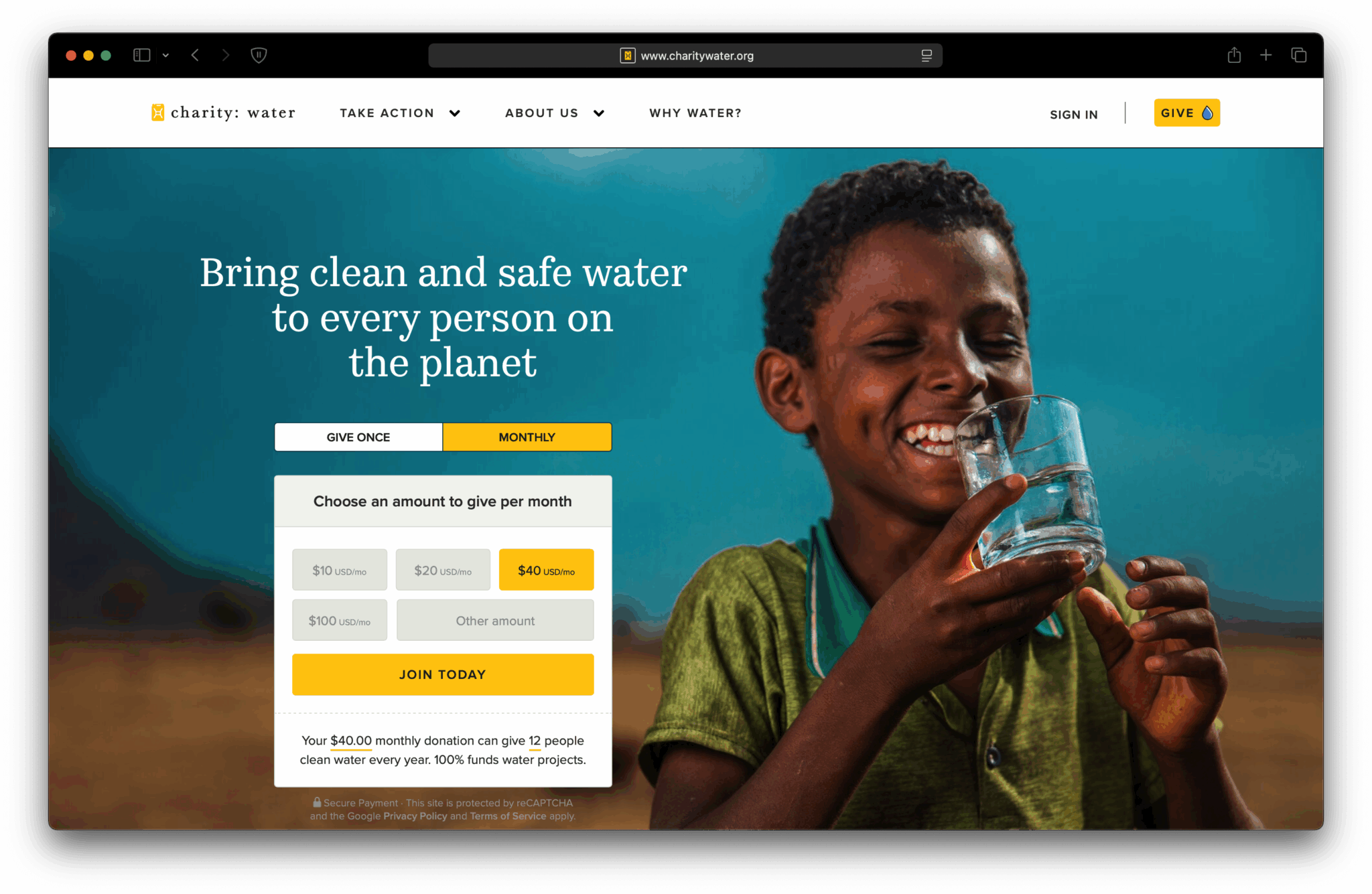
Charity: Water: Engaging visuals and a seamless donation process.
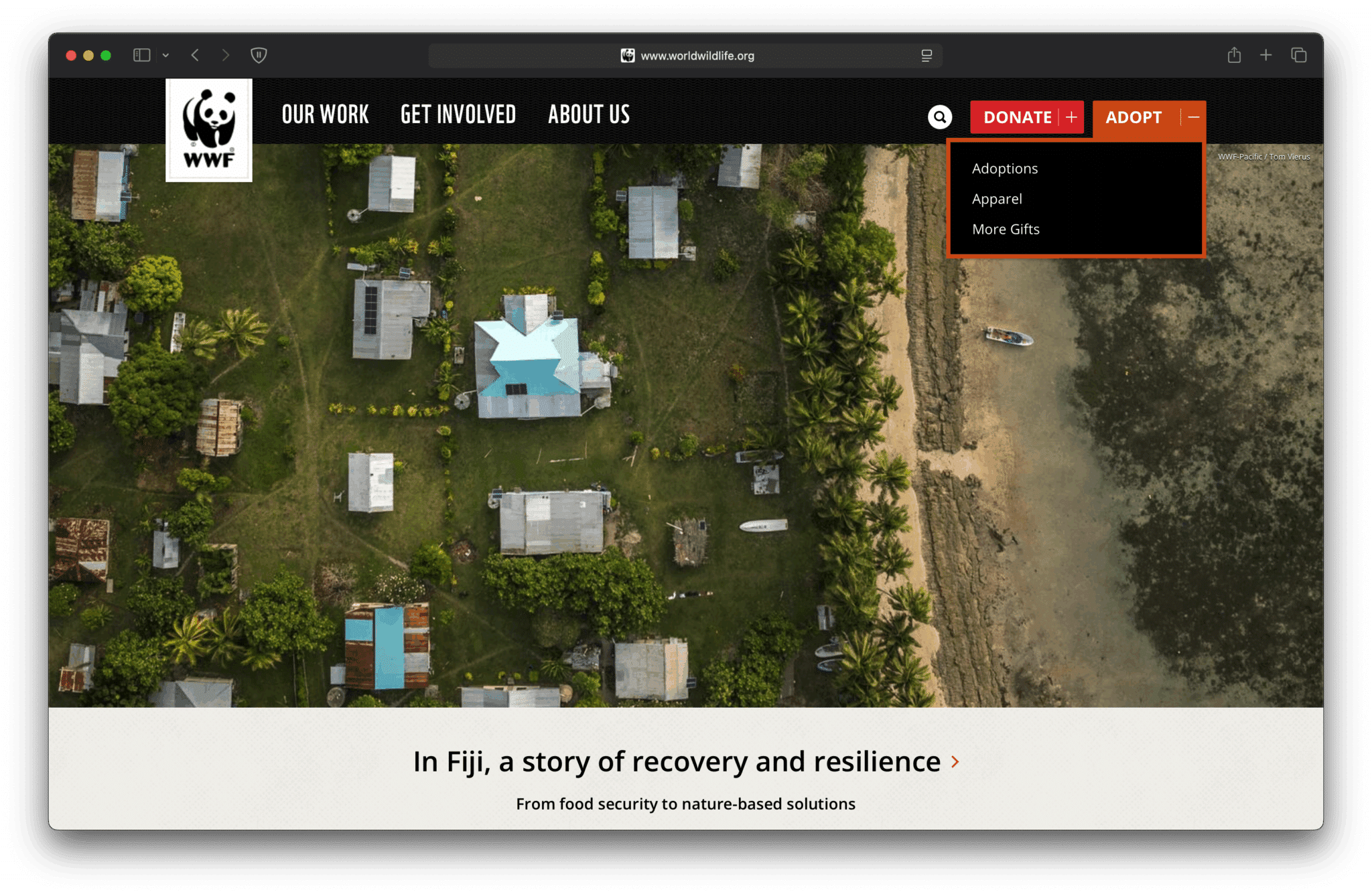
World Wildlife Fund: Strong storytelling and advocacy tools.
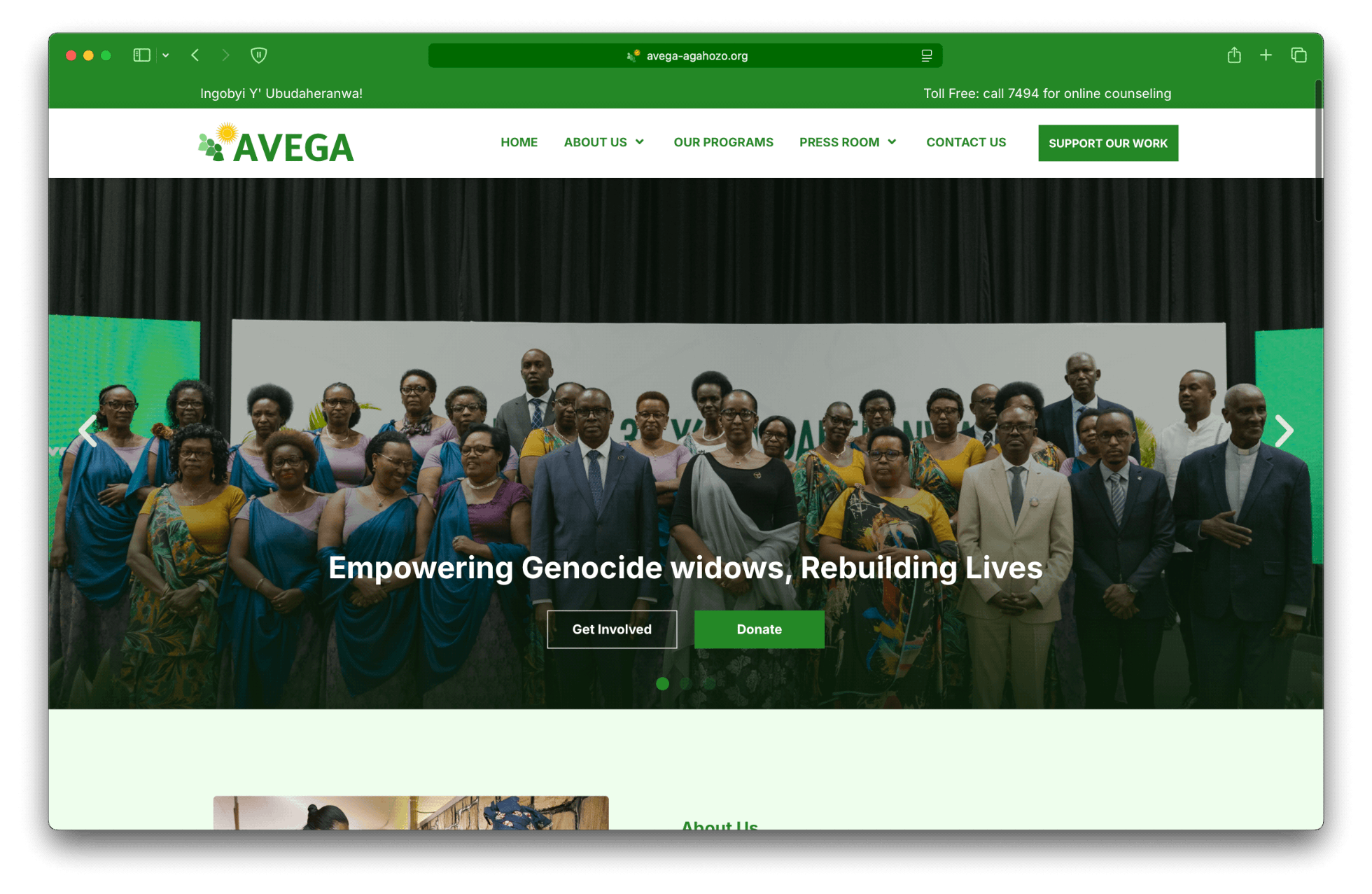
Chromatikk’s Clients: See how we’ve helped Rwandan nonprofits build impactful websites.
💡 Explore our nonprofit case studies. View our portfolio.
Final Thoughts
A well-designed nonprofit website is a powerful tool for fundraising, engagement, and advocacy. By following nonprofit website design best practices, optimizing for accessibility, and leveraging the right tools, your organization can build a digital presence that drives real impact. Additionally, investing in great nonprofit website design empowers your organization to increase engagement and achieve its mission online.
Ready to elevate your nonprofit’s website? Schedule a free consultation with Chromatikk today and let’s create a website that amplifies your mission. 🚀
